TABLE OF CONTENTS
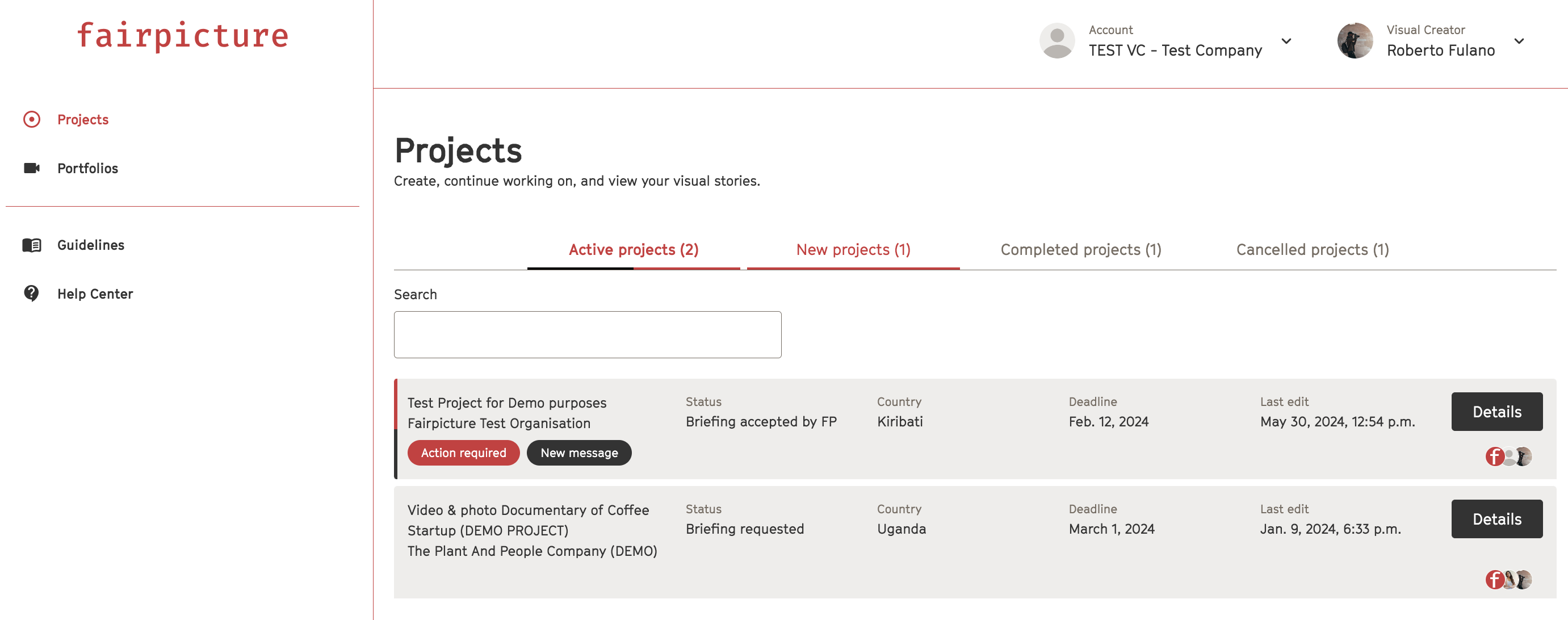
DashboardFind an overview of all your projects and their most important key points on your dashboard.
1- Projects tab
Overview of your active projects, new projects, as well as all completed and cancelled projects.
2- New message
Check both chat channels under messages on the project page to see your new messages.
3- Action required
It’s your turn to work on the project – check the project page for more details.
4- No action bar
There are currently no tasks for you to complete – the visual creator, the client or Fairpicture is working on the project.
- Visual creator view
- Client view
<img alt="Client overview" class="richtext-image full-width fr-fil fr-dib" src="https://243666219.fs1.hubspotusercontent-na2.net/hubfs/243666219/Knowledge%20Base%20Import/IQez5uAOu04o6uwSFDHQ4QwUmy-cx-6z9A-2.png" style="box-sizing: border-box; border: 0px solid rgb(229, 231, 235); --tw-border-spacing-x: 0; --tw-border-spacing-y: 0; --tw-translate-x: 0; --tw-translate-y: 0; --tw-rotate: 0; --tw-skew-x: 0; --tw-skew-y: 0; --tw-scale-x: 1; --tw-scale-y: 1; --tw-pan-x: ; --tw-pan-y: ; --tw-pinch-zoom: ; --tw-scroll-snap-strictness: proximity; --tw-ordinal: ; --tw-slashed-zero: ; --tw-numeric-figure: ; --tw-numeric-spacing: ; --tw-numeric-fraction: ; --tw-ring-inset: ; --tw-ring-offset-width: 0px; --tw-ring-offset-color: #fff; --tw-ring-color: #3b82f680; --tw-ring-offset-shadow: 0 0 #0000; --tw-ring-shadow: 0 0 #0000; --tw-shadow: 0 0 #0000; --tw-shadow-colored: 0 0 #0000; --tw-blur: ; --tw-brightness: ; --tw-contrast: ; --tw-grayscale: ; --tw-hue-rotate: ; --tw-invert: ; --tw-saturate: ; --tw-sepia: ; --tw-drop-shadow: ; --tw-backdrop-blur: ; --tw-backdrop-brightness: ; --tw-backdrop-contrast: ; --tw-backdrop-grayscale: ; --tw-backdrop-hue-rotate: ; --tw-backdrop-invert: ; --tw-backdrop-opacity: ; --tw-backdrop-saturate: ; --tw-backdrop-sepia: ; max-width: 100%; color: rgb(51, 51, 51); height: auto;" gt="" cinetype",="" "helvetica="" neue",="" arial,="" sans-serif;="" font-size:="" 16px;="" font-weight:="" 400;="" text-align:="" start;="" text-indent:="" 0px;="" width:="" 628px;"="" data-attachment="[object Object]" data-id="101164832871">
Project page On the project page you find all information concerning your project.1 Status overview
This shows the phase of your current project.
2- Your tasks right now
Complete this action in order to move on in the project.
3- Project details
A summary of the most important information of your project.
4- Project description
A short summary what the project is about.
5- Deliverables
Overview of the project deliverables.
6- Documents
Find the most important documents of the project here.
7- Media files
- Upload visual material button for uploading visuals, documents, consent forms (creators only).
- Download consents button for downloading consents obtained with the FairConsent App (creators only).
- View visual materials button for viewing and downloading all material (clients only).
<img alt="Client_media files" class="richtext-image full-width fr-fil fr-dib" src="https://243666219.fs1.hubspotusercontent-na2.net/hubfs/243666219/Knowledge%20Base%20Import/Nlj-B99bInL18lFG-rXCqSjWI71-s9vlLg-2.png" style="box-sizing: border-box; border: 0px solid rgb(229, 231, 235); max-width: 100%; cursor: pointer; padding: 0px 1px; margin-bottom: 5px; margin-left: 0px; display: block; text-align: start; font-weight: 400; text-indent: 0px; --tw-border-spacing-x: 0; --tw-border-spacing-y: 0; --tw-translate-x: 0; --tw-translate-y: 0; --tw-rotate: 0; --tw-skew-x: 0; --tw-skew-y: 0; --tw-scale-x: 1; --tw-scale-y: 1; --tw-pan-x: ; --tw-pan-y: ; --tw-pinch-zoom: ; --tw-scroll-snap-strictness: proximity; --tw-ordinal: ; --tw-slashed-zero: ; --tw-numeric-figure: ; --tw-numeric-spacing: ; --tw-numeric-fraction: ; --tw-ring-inset: ; --tw-ring-offset-width: 0px; --tw-ring-offset-color: #fff; --tw-ring-color: #3b82f680; --tw-ring-offset-shadow: 0 0 #0000; --tw-ring-shadow: 0 0 #0000; --tw-shadow: 0 0 #0000; --tw-shadow-colored: 0 0 #0000; --tw-blur: ; --tw-brightness: ; --tw-contrast: ; --tw-grayscale: ; --tw-hue-rotate: ; --tw-invert: ; --tw-saturate: ; --tw-sepia: ; --tw-drop-shadow: ; --tw-backdrop-blur: ; --tw-backdrop-brightness: ; --tw-backdrop-contrast: ; --tw-backdrop-grayscale: ; --tw-backdrop-hue-rotate: ; --tw-backdrop-invert: ; --tw-backdrop-opacity: ; --tw-backdrop-saturate: ; --tw-backdrop-sepia: ; color: rgb(51, 51, 51); height: auto;" gt="" cinetype",="" "helvetica="" neue",="" arial,="" sans-serif;="" font-size:="" 16px;="" width:="" 567px;"="" data-id="101164844335" data-attachment="[object Object]">
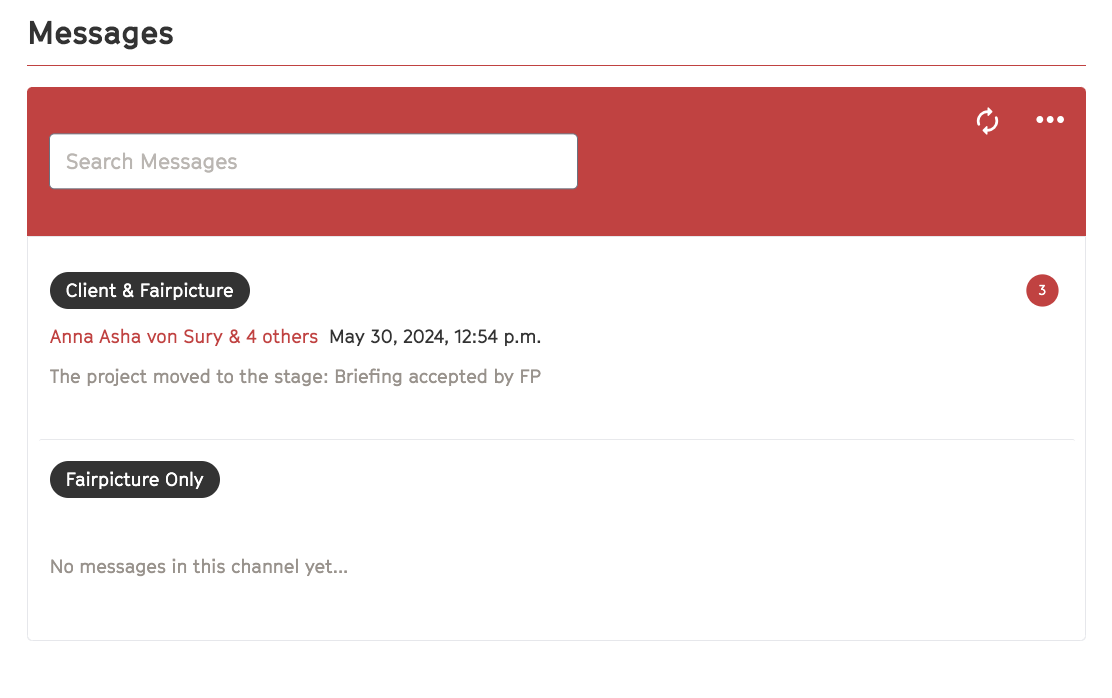
8- Messages
There are two channels for communication during the project - chat with the Creator/Client & fairpicture, or with Fairpicture only throughout the project.
Please check both channels for new messages.
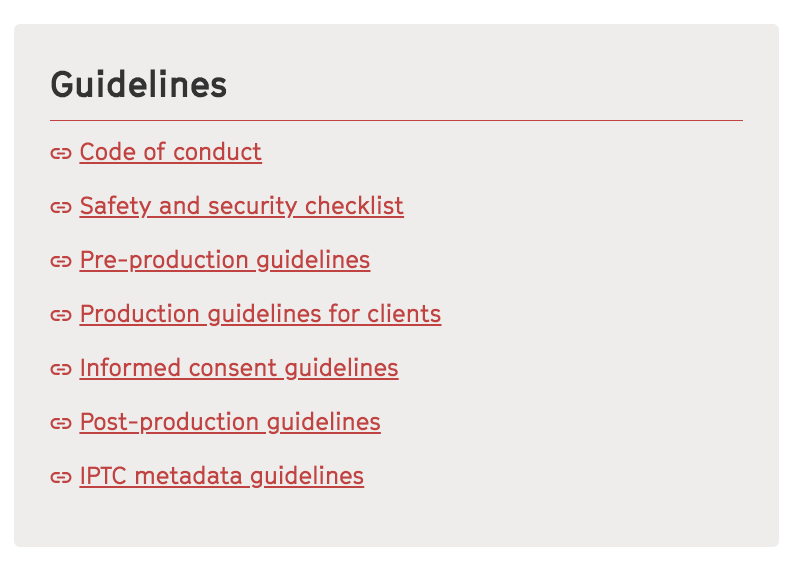
9- Guidelines
You can directly access all Fairpicture's Guidelines here.
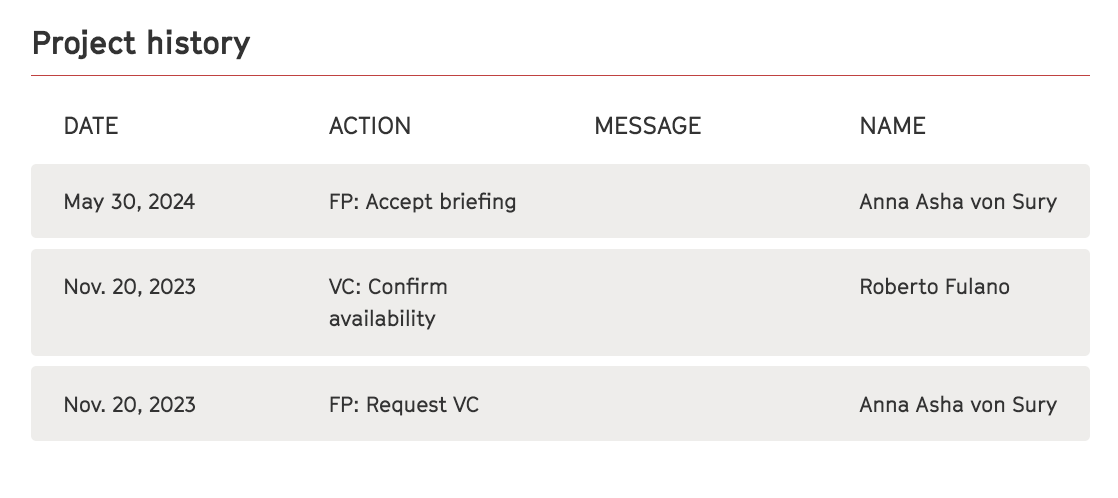
10- Project history
Check the project history to see what happened when, or if you’re not sure where the project’s at.
11- FairConsent App
Scan this QR-code with the FairConsent app before starting the production.