Fairpicture follows the IPTC standards (https://iptc.org) and strictly requires the necessary metadata for each photo and video.

See our IPTC metadata guidelines.

Without the correct IPTC metadata, the image material cannot be delivered to the client.
Open the Metadata information in Lightroom and add the following information:
1. Under DEFAULT
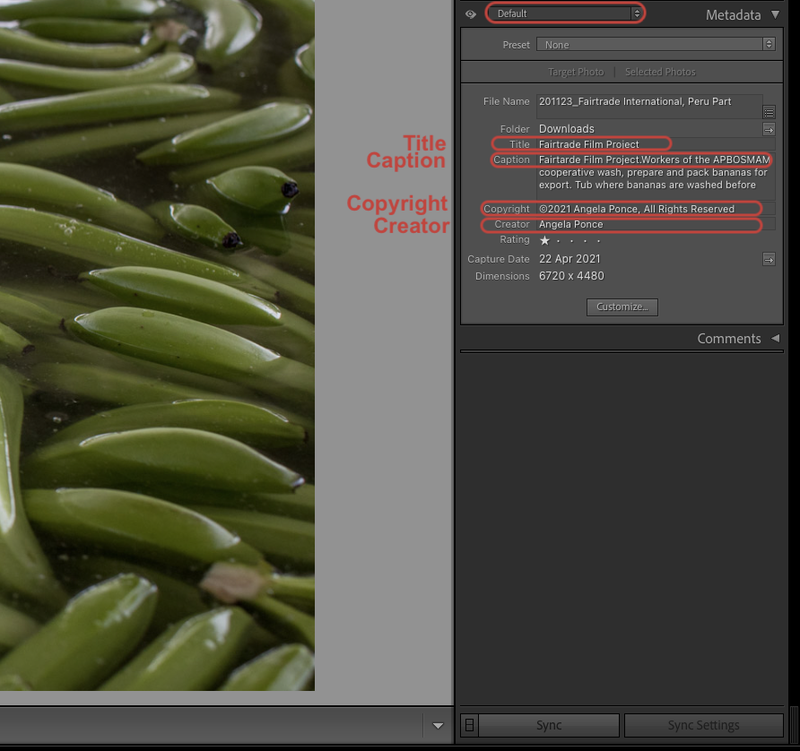
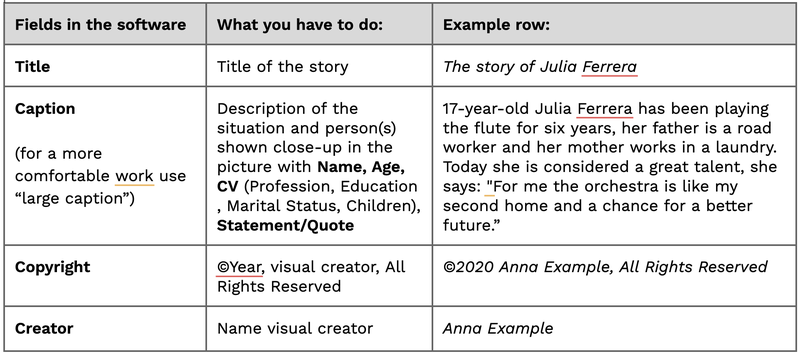
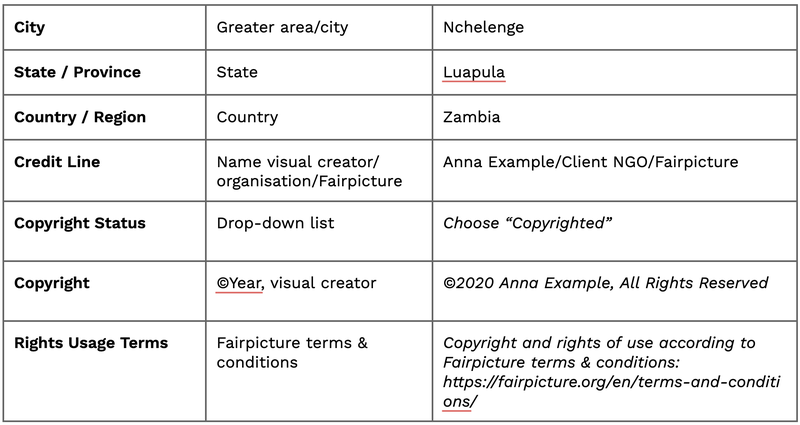
See “What you have to do” and the “Example row” for the information you need to add in the fields.
2. Under “IPTC”
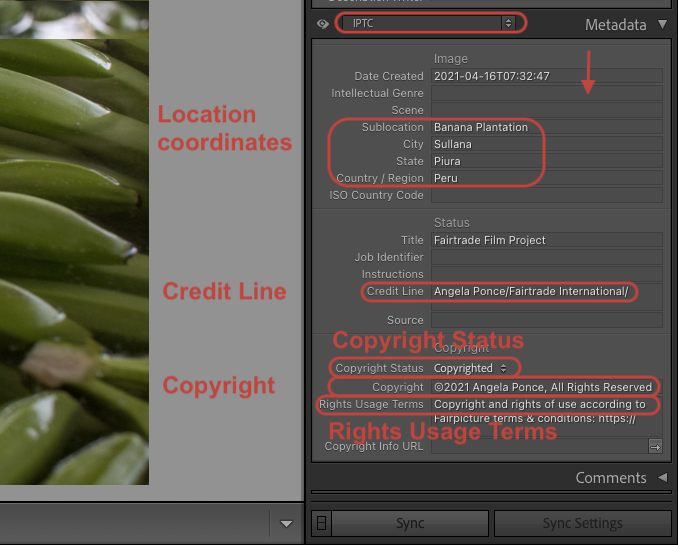
3. Under IPTC EXTENSIONS
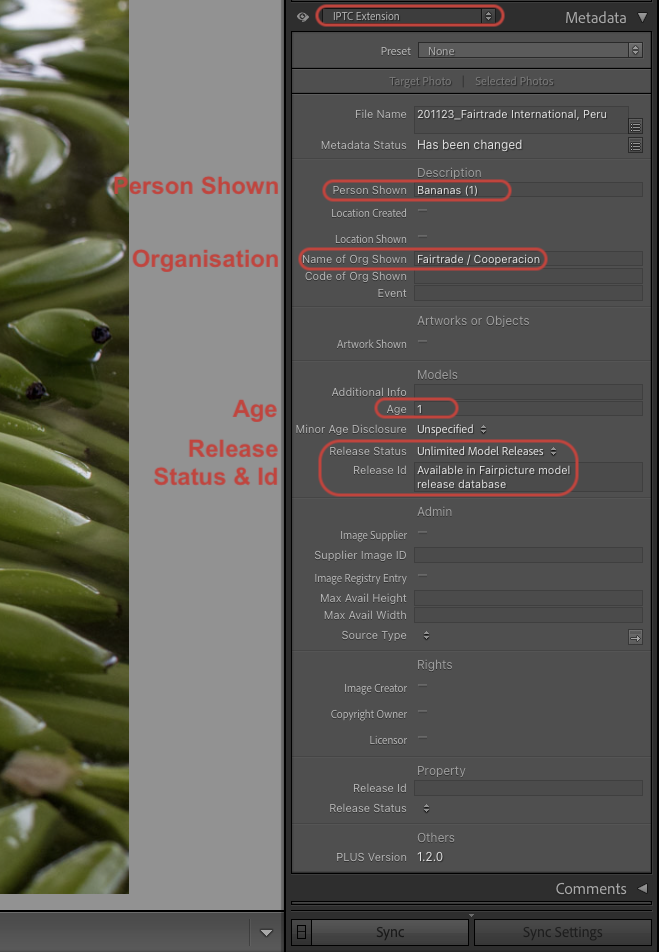
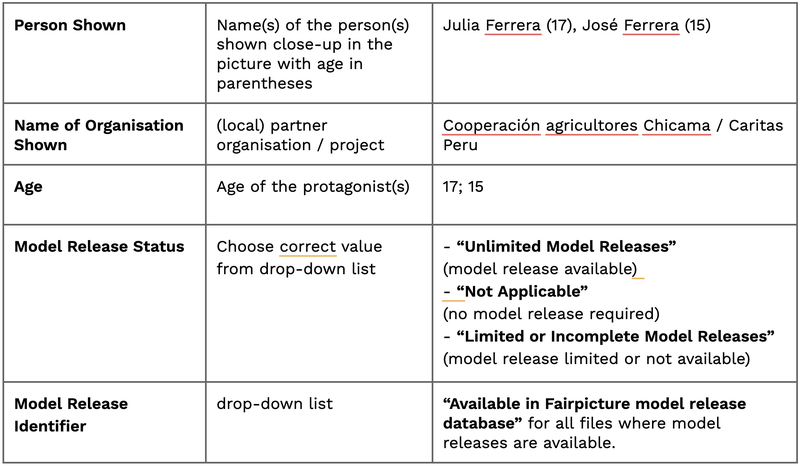
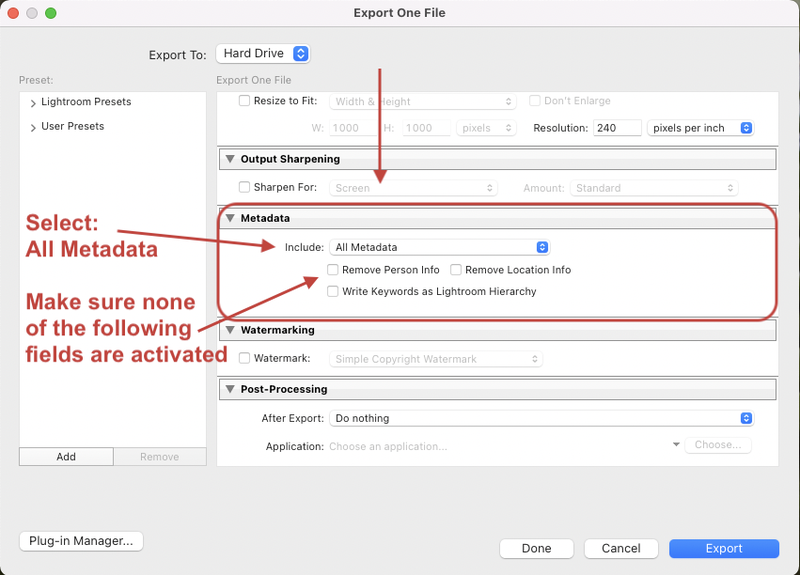
4. File / Export
IMPORTANT: To save the metadata added, you need to export your files as follows