---
title: Explaining Consent Terms (Collectors)
description: How to present Consent Terms to consent givers
---
[Skip to content](https://help.fairpicture.org/support/solutions/articles/101000539367#main-content)
English
Show submenu for translations

Open main navigation
Close main navigation
- English
Show submenu for translations
- Contact us
Contact us
How can we help you?
- There are no suggestions because the search field is empty.
1. [Fairpicture Help Center](https://help.fairpicture.org/support?hsLang=en)
2. [FairConsent App and Platform](https://help.fairpicture.org/support/fairconsent-app-and-platform?hsLang=en)
3. [FairConsent App](https://help.fairpicture.org/support/fairconsent-app-and-platform?hsLang=en#fairconsent-app)
# Explaining Consent Terms (Collectors)
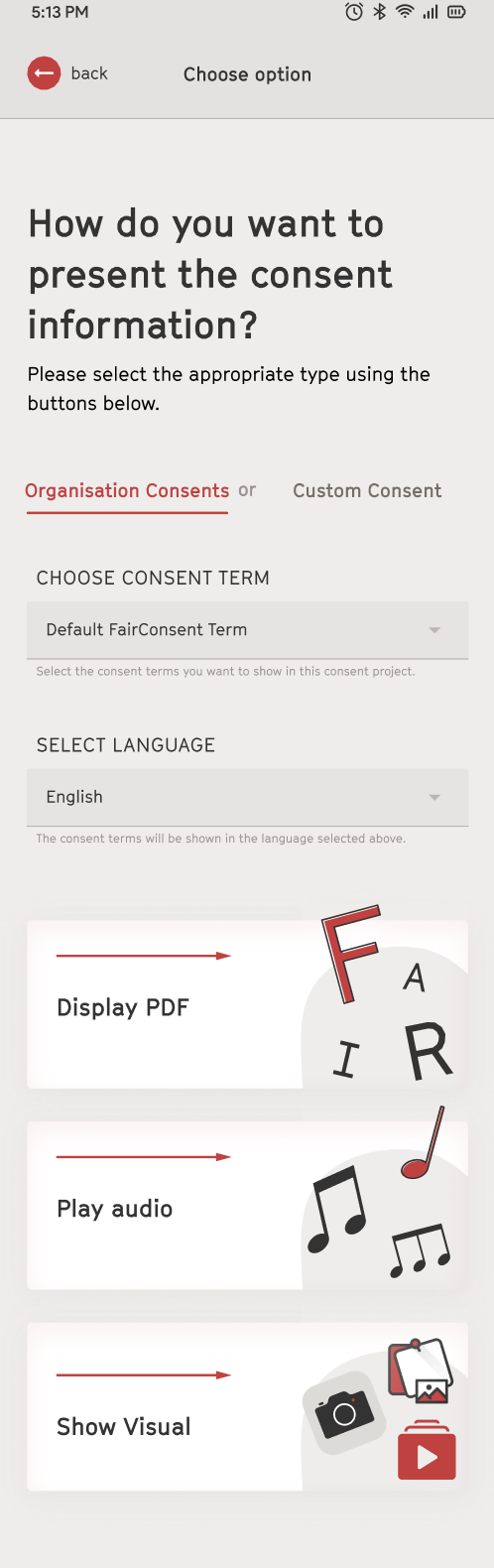
In FairConsent, consent terms can be presented in multiple formats to ensure clarity, accessibility, and user understanding before confirmation. The display of consent terms becomes available after entering the personal information of the consent giver.
These steps follow the [“Create New Project & Collect Consent Information”](https://help.fairpicture.org/support/solutions/articles/101000539365?hsLang=en) process, where the project is created, and personal details are completed before starting consent recording.
### **Available Methods**
You can present consent terms using one of the following methods:
**1. Reading (PDF)**
- Display the consent terms as a PDF document
**2. Listening (Audio)**
- Present the consent terms as an audio recording
**3. Visual (Teams & Business only)**
- Display slides containing the consent terms explanations
### **How Each Method Works**
**1. Display PDF (Reading)**
- Show the consent terms as a PDF
- Allow the consent giver to read the content carefully
- Once they understand, they can confirm by tapping “I Confirm”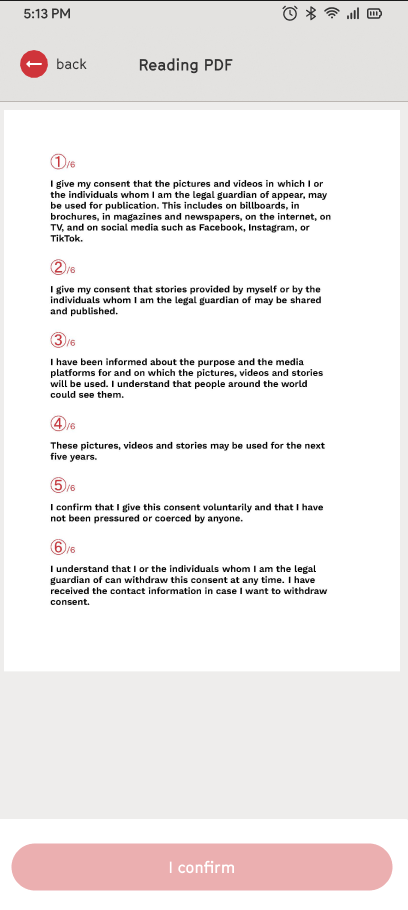
**2. Play Audio (Listening)**
- Play the audio version of the consent terms
- The consent giver must listen to the entire recording
- After completion, they can confirm by tapping “I Confirm”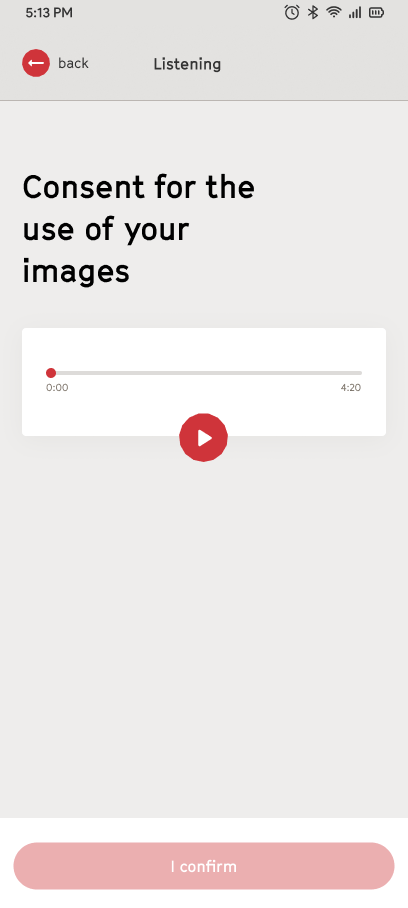
**3. Display Visual Slides (Visual)**
- Present the consent terms using slides
- The consent giver must view all slides
- Once completed, they can confirm by tapping “I Confirm”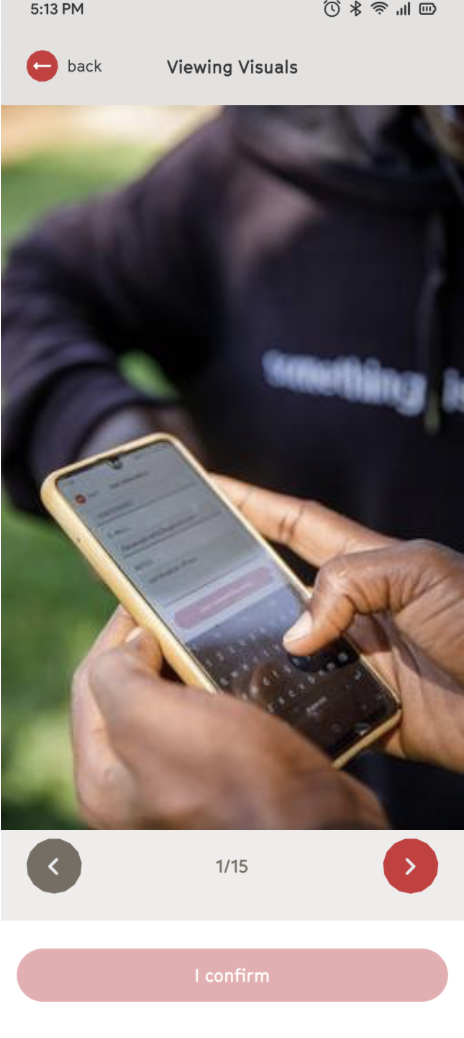
**Tip:** Choose the method that best fits your audience to ensure full understanding audio and visual formats are especially helpful for accessibility and multilingual contexts.
### **Additional Features**
- Default Terms: The standard Fairpicture consent terms, which are used when no custom or organization-specific consent terms have been added.
- Custom Consent Terms: Personalized consent terms created by individual users in Personal Track Mode, allowing them to tailor the consent content to their specific projects or requirements.
- Organizational Terms: Consent terms created and managed by an organization through the FairConsent Platform, ensuring all collectors use consistent, organization-approved consent content. Learn how to add organization consent terms.
Default consent templates are available in more than 30 languages, helping make the consent process more accessible and inclusive for diverse audiences.
Note: Admins and Managers can upload and manage custom consent terms through the platform
```
Next step proceed to Confirming & Uploading Consent
```
- [FAQ for Clients](https://help.fairpicture.org/support/faq-for-clients?hsLang=en#main-content)
- [Services](https://help.fairpicture.org/support/faq-for-clients?hsLang=en#services)
- [Prices](https://help.fairpicture.org/support/faq-for-clients?hsLang=en#prices)
- [Starting a project](https://help.fairpicture.org/support/faq-for-clients?hsLang=en#starting-a-project)
- [FAQ in Projects](https://help.fairpicture.org/support/faq-for-clients?hsLang=en#faq-in-projects)
- [Platform Tutorials](https://help.fairpicture.org/support/platform-tutorials?hsLang=en#main-content)
- [Post-production tutorials](https://help.fairpicture.org/support/platform-tutorials?hsLang=en#post-production-tutorials)
- [Platform tutorials](https://help.fairpicture.org/support/platform-tutorials?hsLang=en#platform-tutorials)
- [FAQ for Visual Creators](https://help.fairpicture.org/support/faq-for-visual-creators?hsLang=en#main-content)
- [Rates and Payment](https://help.fairpicture.org/support/faq-for-visual-creators?hsLang=en#rates-and-payment)
- [Getting started on the platform](https://help.fairpicture.org/support/faq-for-visual-creators?hsLang=en#getting-started-on-the-platform)
- [Services](https://help.fairpicture.org/support/faq-for-visual-creators?hsLang=en#services)
- [VC questions](https://help.fairpicture.org/support/faq-for-visual-creators?hsLang=en#vc-questions)
- [FairConsent App and Platform](https://help.fairpicture.org/support/fairconsent-app-and-platform?hsLang=en#main-content)
- [Subscription & Billing](https://help.fairpicture.org/support/fairconsent-app-and-platform?hsLang=en#subscription-billing)
- [FairConsent Platform](https://help.fairpicture.org/support/fairconsent-app-and-platform?hsLang=en#fairconsent-platform)
- [05 Roles Access and Data Boundaries](https://help.fairpicture.org/support/fairconsent-app-and-platform?hsLang=en#05-roles-access-and-data-boundaries)
- [Updates & Support](https://help.fairpicture.org/support/fairconsent-app-and-platform?hsLang=en#updates-support)
- [06 Risk, Limitations and Warnings](https://help.fairpicture.org/support/fairconsent-app-and-platform?hsLang=en#06-risk-limitations-and-warnings)
- [08 DAM Integrations](https://help.fairpicture.org/support/fairconsent-app-and-platform?hsLang=en#08-dam-integrations)
- [Frequently Asked Questions (FAQ)](https://help.fairpicture.org/support/fairconsent-app-and-platform?hsLang=en#frequently-asked-questions-faq)
- [02 Getting Started](https://help.fairpicture.org/support/fairconsent-app-and-platform?hsLang=en#02-getting-started)
- [04 FairConsent Platform](https://help.fairpicture.org/support/fairconsent-app-and-platform?hsLang=en#04-fairconsent-platform)
- [FairConsent App](https://help.fairpicture.org/support/fairconsent-app-and-platform?hsLang=en#fairconsent-app)
- [01 User Experience Overview](https://help.fairpicture.org/support/fairconsent-app-and-platform?hsLang=en#01-user-experience-overview)
- [07 Consent Links Beta](https://help.fairpicture.org/support/fairconsent-app-and-platform?hsLang=en#07-consent-links-beta)
- [03 FairConsent App](https://help.fairpicture.org/support/fairconsent-app-and-platform?hsLang=en#03-fairconsent-app)
- [Content Production (Creators)](https://help.fairpicture.org/support/content-production-creators?hsLang=en#main-content)
- [Review and payment](https://help.fairpicture.org/support/content-production-creators?hsLang=en#review-and-payment)
- [What we offer and how we work for creators](https://help.fairpicture.org/support/content-production-creators?hsLang=en#what-we-offer-and-how-we-work-for-creators)
- [Getting started on the platform for visual creators](https://help.fairpicture.org/support/content-production-creators?hsLang=en#getting-started-on-the-platform-for-visual-creators)
- [Project organisation](https://help.fairpicture.org/support/content-production-creators?hsLang=en#project-organisation)
- [FairConsent for Fairpicture Projects](https://help.fairpicture.org/support/content-production-creators?hsLang=en#fairconsent-for-fairpicture-projects)
- [Production and post-production](https://help.fairpicture.org/support/content-production-creators?hsLang=en#production-and-post-production)
- [Project brief & deliverables](https://help.fairpicture.org/support/content-production-creators?hsLang=en#project-brief-deliverables)
- [Content Production (Clients)](https://help.fairpicture.org/support/content-production-clients?hsLang=en#main-content)
- [Getting started on the platform for clients](https://help.fairpicture.org/support/content-production-clients?hsLang=en#getting-started-on-the-platform-for-clients)
- [Starting a project](https://help.fairpicture.org/support/content-production-clients?hsLang=en#starting-a-project)
- [Project organisation](https://help.fairpicture.org/support/content-production-clients?hsLang=en#project-organisation)
- [What we offer and how we work](https://help.fairpicture.org/support/content-production-clients?hsLang=en#what-we-offer-and-how-we-work)
- [Project brief](https://help.fairpicture.org/support/content-production-clients?hsLang=en#project-brief)
- [Consent](https://help.fairpicture.org/support/content-production-clients?hsLang=en#consent)
- [Image material](https://help.fairpicture.org/support/content-production-clients?hsLang=en#image-material)
- [Support for Project Managers](https://help.fairpicture.org/support/support-for-project-managers?hsLang=en#main-content)
- [Request and offer](https://help.fairpicture.org/support/support-for-project-managers?hsLang=en#request-and-offer)
- [Consent](https://help.fairpicture.org/support/support-for-project-managers?hsLang=en#consent)
- [Invoice and Payment](https://help.fairpicture.org/support/support-for-project-managers?hsLang=en#invoice-and-payment)
- [Image material](https://help.fairpicture.org/support/support-for-project-managers?hsLang=en#image-material)
- [Production](https://help.fairpicture.org/support/support-for-project-managers?hsLang=en#production)
[](https://fairpicture.org/static/img/fairpicture.svg)
[mailto:email@email.com](mailto:email@email.com)
Copyright © 2026, Fairpicture AG