
You can easily export and share consents in ZIP format. Here's how:
Export Consents
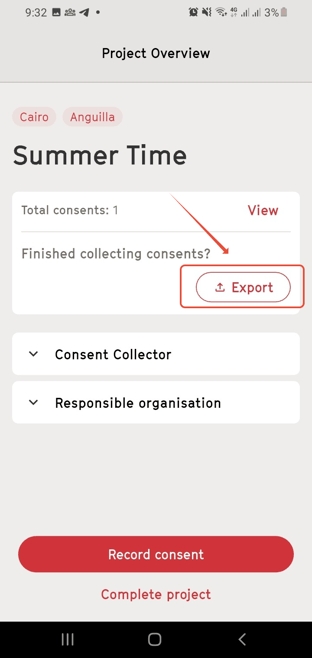
- Tap “Export” to share a generated zip file containing all consents in PDF format from the project.
- Note: The consents are still saved in the app as long as you do not complete the project.
Exported Consent Forms
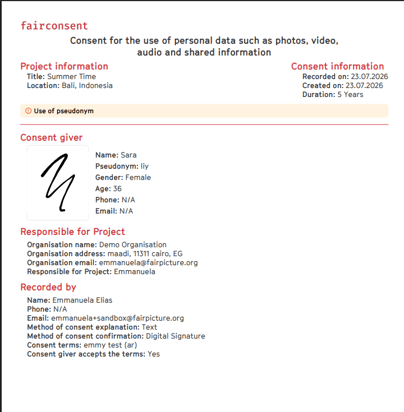
- The exported consent forms will be formatted like the example shown here, providing all necessary details such as the person giving consent, project information, children and witness details, pseudonyms, and any additional notes.
The second page of each PDF displays the agreed-upon consent terms.
Completing a Project
Completing a project finalizes all consent records and clears the data from the app. Before completing a project, it’s important to ensure that all data is saved, as it cannot be recovered after this step.
To complete a project: Open the Project Overview
Save Your Data
- Ensure all recorded data are saved on your device or shared before completing the project. There's no option to recover recorded data once you've completed a project
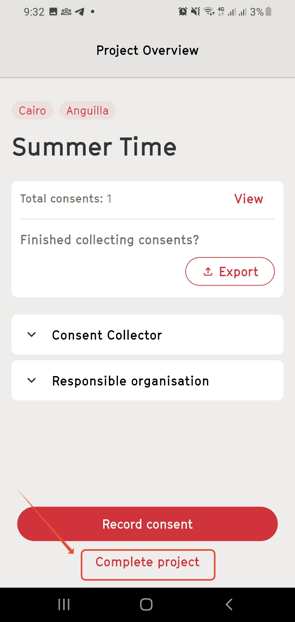
Complete the Project
- Tap “Complete project”.
Confirm Completion
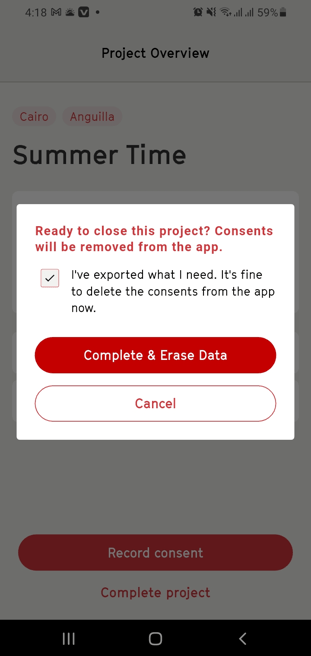
- A message will inform you that all data related to this project will be erased from the app.
- Confirm only if you have saved all collected consents.
Need More Help?
For any questions or support, reach out to us at customersupport@fairpicture.org