
Managing or canceling your Organization's FairConsent subscription is straightforward.
Here's how to do it:
-
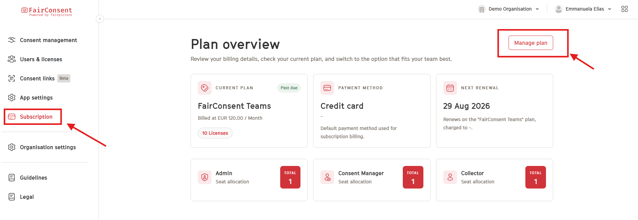
Navigate to Subscription:
- Log in to the FairConsent Platform.
- Go to the Subscription section.
- Click on Manage Plan in the Plan Overview section.
2. Update or Cancel Subscription:
- To make changes to your organization's subscription, such as canceling, click "Cancel Subscription" button.
- If you need to add a payment method, you can do so directly in "Add payment method" button.
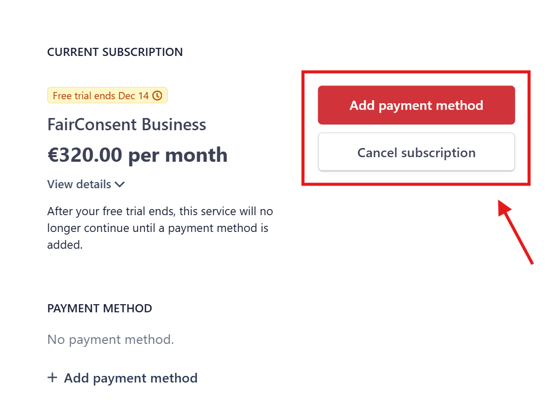
There is a 14-day free trial for the FairConsent subscription
Need More Help?
For any questions or support, reach out to us at customersupport@fairpicture.org