
The FairConsent platform makes managing consents efficient and organized. Once the collector taps the Upload button, all recorded consent forms are automatically uploaded and synced with the FairConsent platform.
Consent Management Dashboard
Access the Consent Management dashboard to:
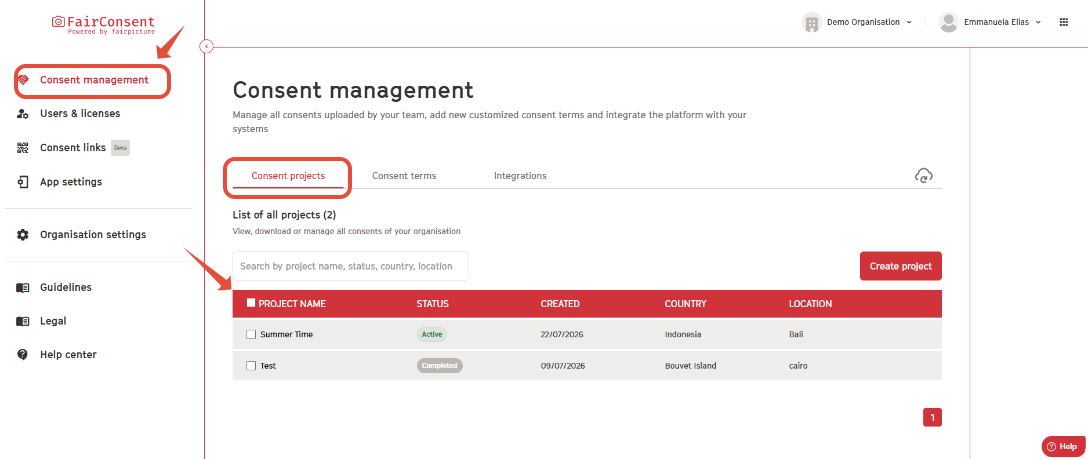
View Consent Projects:
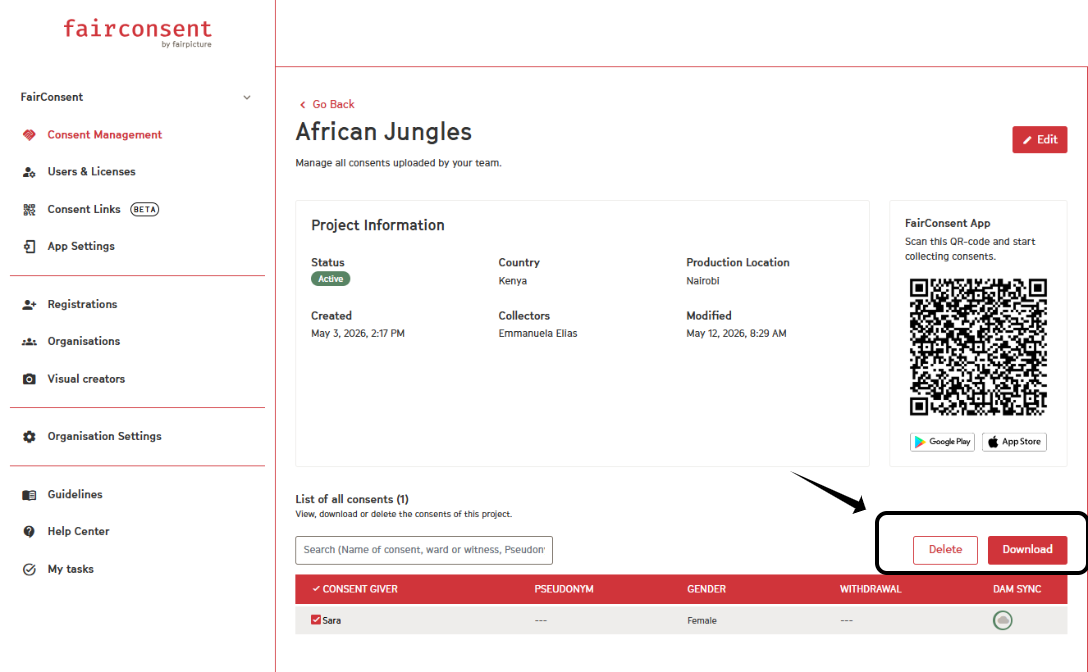
- See an overview of all consent projects, including its status in the app, created date, country and location.
Project Consents
View Consents:
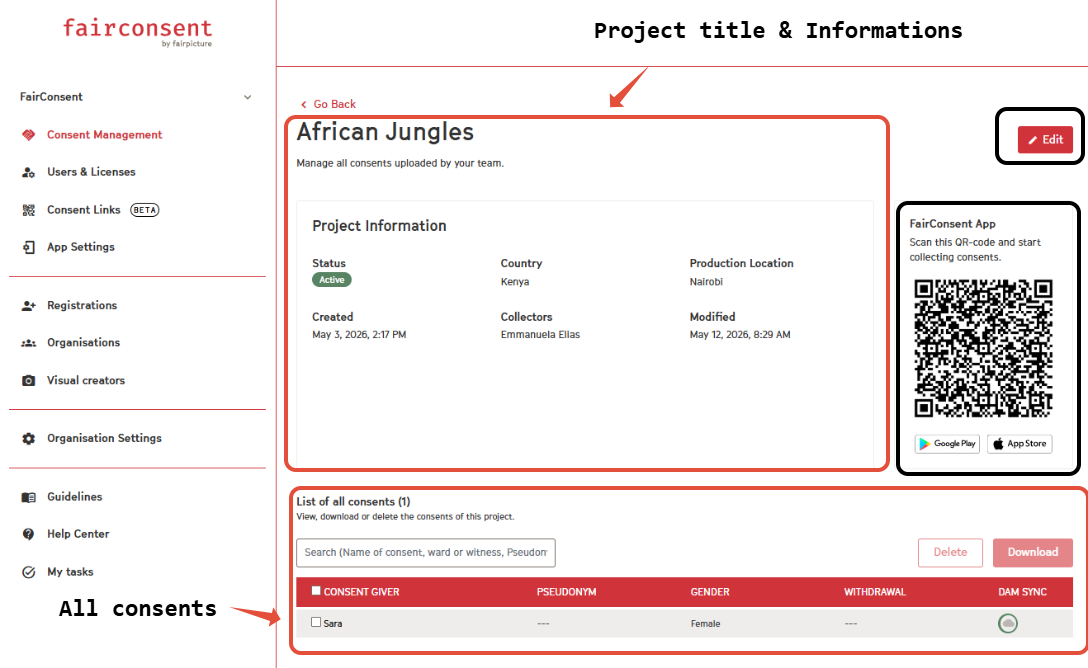
- Click on a project to see an overview of all uploaded consents.
Project Information:
- Includes all the information related to the project including the assigned collector name.
FairConsent App:
- Owners, Admins, and Managers can also scan the QR code on the right to access the project in the FairConsent app and record consents alongside the assigned collectors.
Edit:
- Click on Edit on the top right to edit your project information.
Search:
- Use the search bar to quickly find a specific consent record by name.
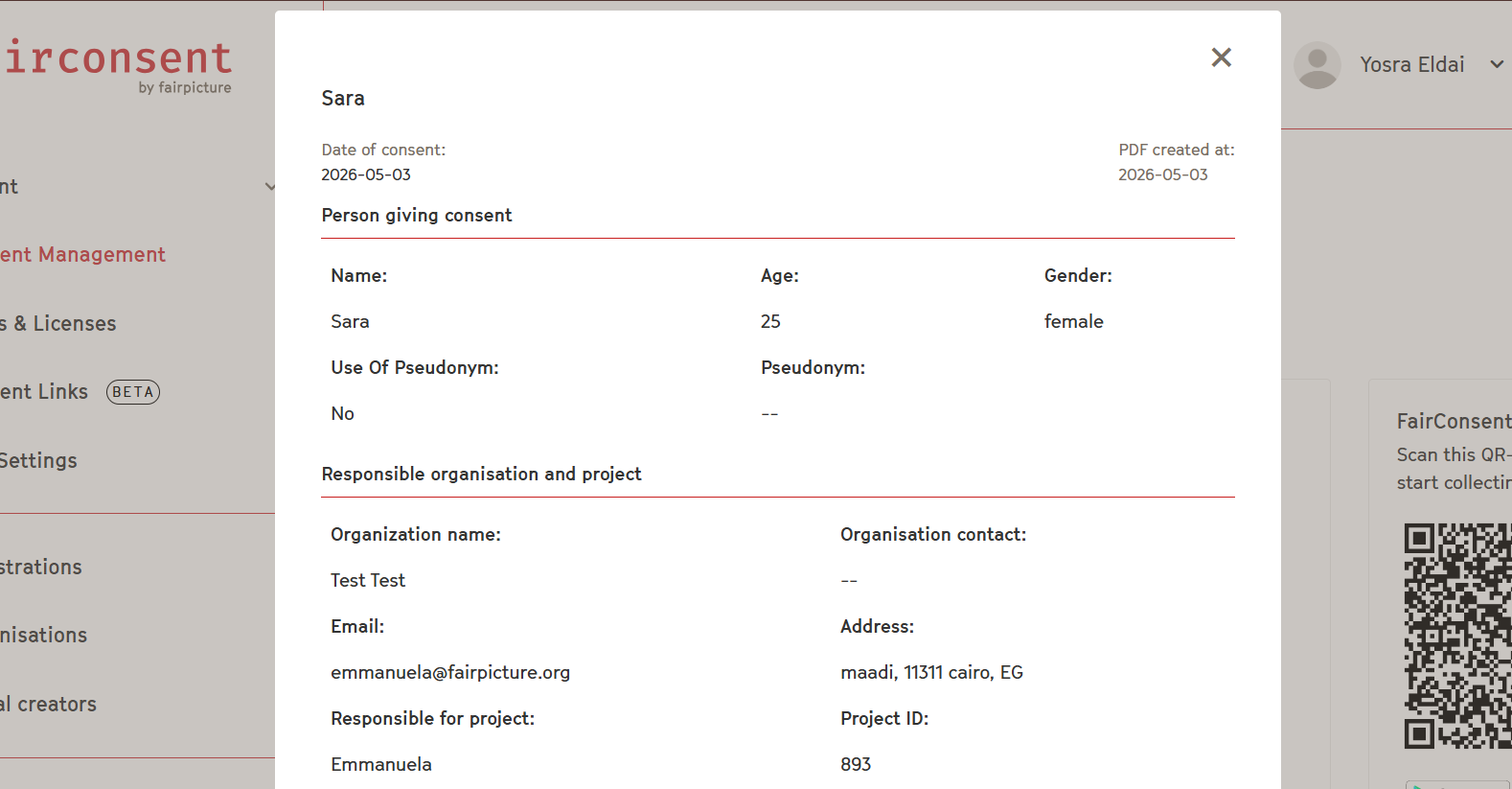
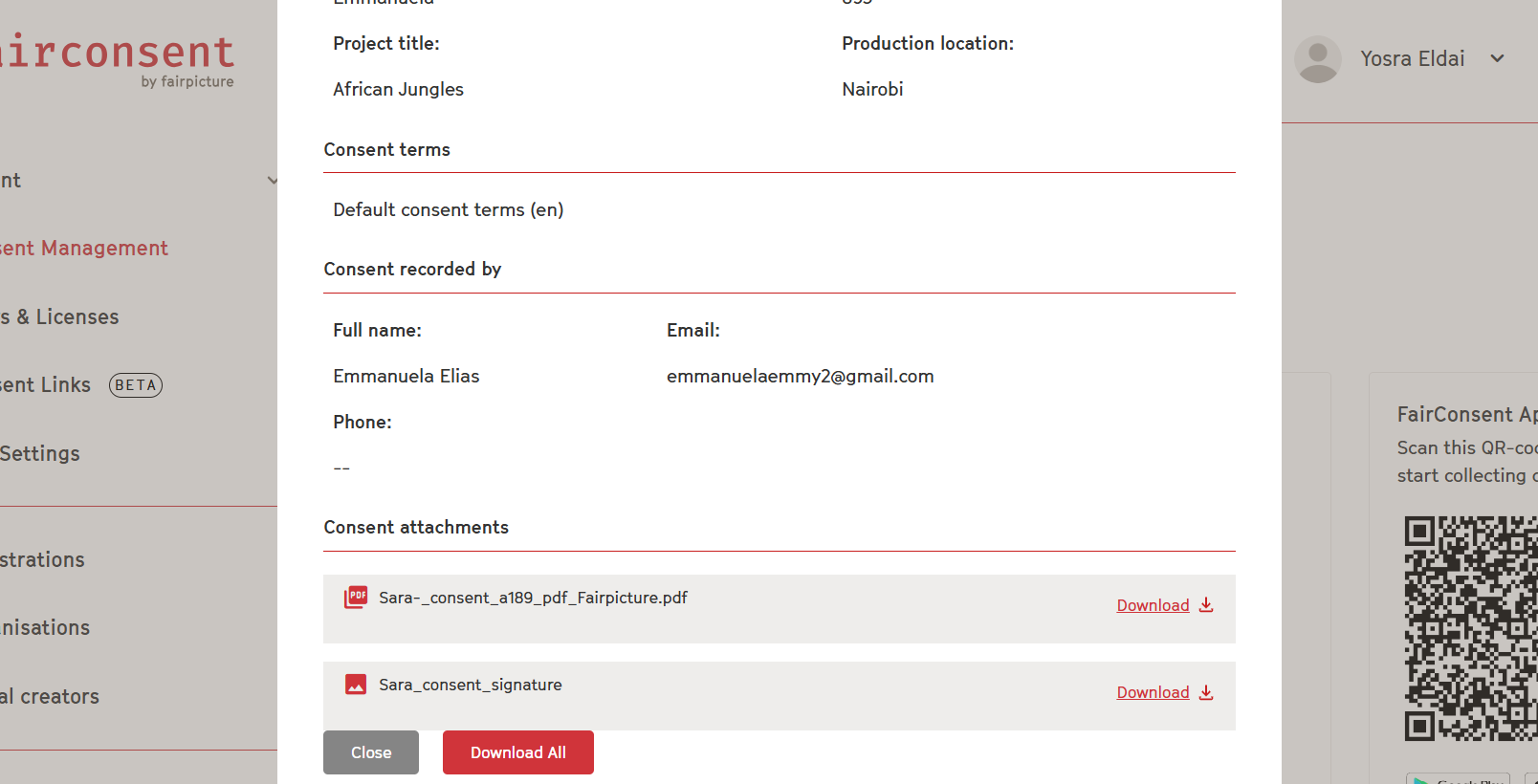
Consent detail view:
- Click on a single consent to access the detail page with all consent information and the attachments.
Download:
- Locate the consent you need in the list.
- Mark the box next to the consent record and select Download PDF to save a copy of the consent form.
Delete:
- Mark the box next to the consent record and select Delete to remove it from the platform.
- Alternatively, check multiple consents, then click Delete at the top to remove them in bulk.
Synced Consents
Consents collected in the FairConsent app are automatically synced with the platform once the collector upload the consent from the app.
Syncing Consents to Integrations (DAM Systems)
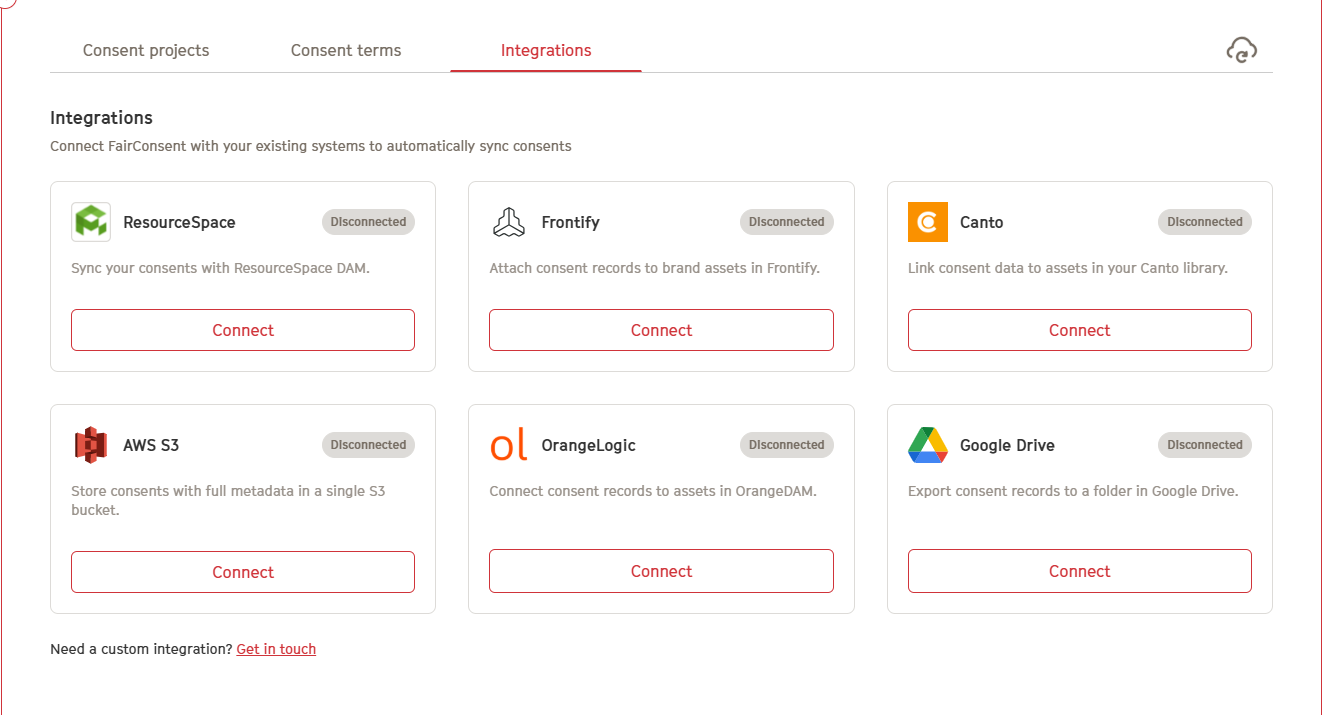
FairConsent integrates with various Digital Asset Management (DAM) systems, allowing you to automatically transfer consent data and files.
Steps to Configure an Integration:
- Open the Consent Management Dashboard
- Navigate to Integrations
- Click Configure next to your desired DAM system
- Complete the setup by entering the required credentials
Once configured, consents will automatically sync to your connected DAM.
Notes: You can find the related articles for all DAMs here
Need More Help?
Contact customersupport@fairpicture.org