
This article explains the withdrawal process when a Consent Giver decides to withdraw the consent previously granted to an organization for any reason. A consent giver has the right to withdraw consent at any time using the withdrawal link received via WhatsApp or Email.
To enable consent withdrawal, the collector must record the consent giver’s WhatsApp number or email address during consent collection. This ensures the consent giver can exercise their right to withdraw consent whenever needed.
Step 1: Submit a Withdrawal Request (Consent Giver)
-
They'll receive an email and/or WhatsApp message containing the withdrawal link.
-
Click the Withdrawal Link.
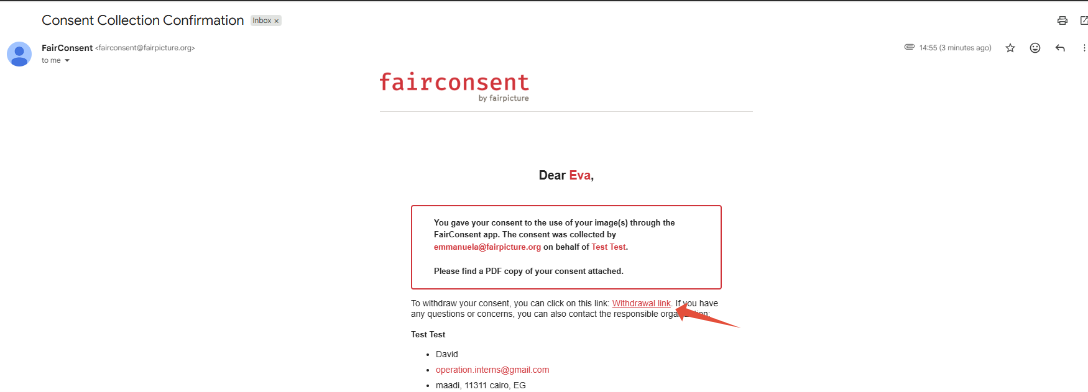
- Enter the email address or WhatsApp number, then click Verify.
- Select or write the reason for withdrawal.
- Click the "Withdraw Consent" button to submit the request.
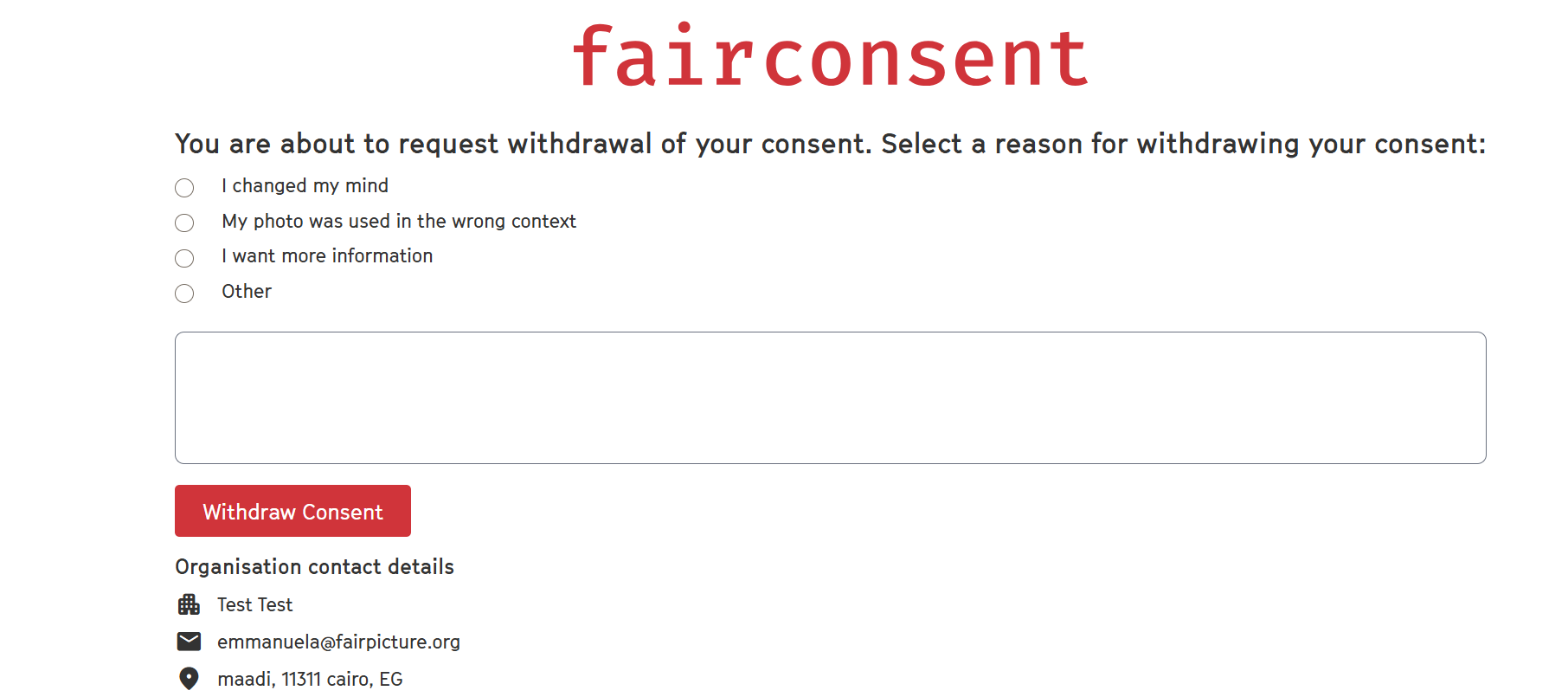
Then the admin will receive the notification for the withdrawal request to review and confirm.
Step 2: Review Withdrawal Request on the FairConsent Platform (Admin)
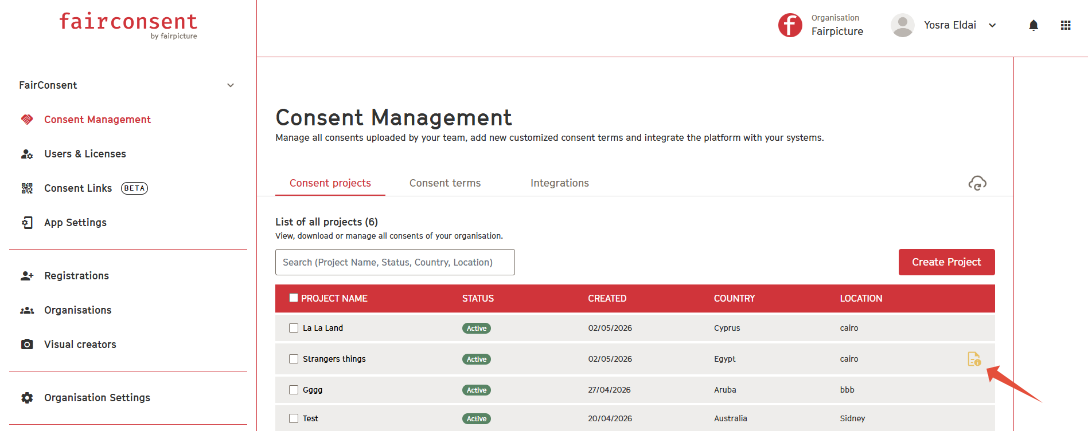
Withdrawal Request
- A withdrawal Request icon will appear next to the consent record project.
- Admins and Managers will also receive an email notification of the withdrawal request.
Open the Consent Record
- Click on the consent to review the withdrawal request details.
Confirm Deletion
- Click "Confirm Deletion" to proceed with removing the consent.
- Once confirmed, the consent will be deleted from the platform.
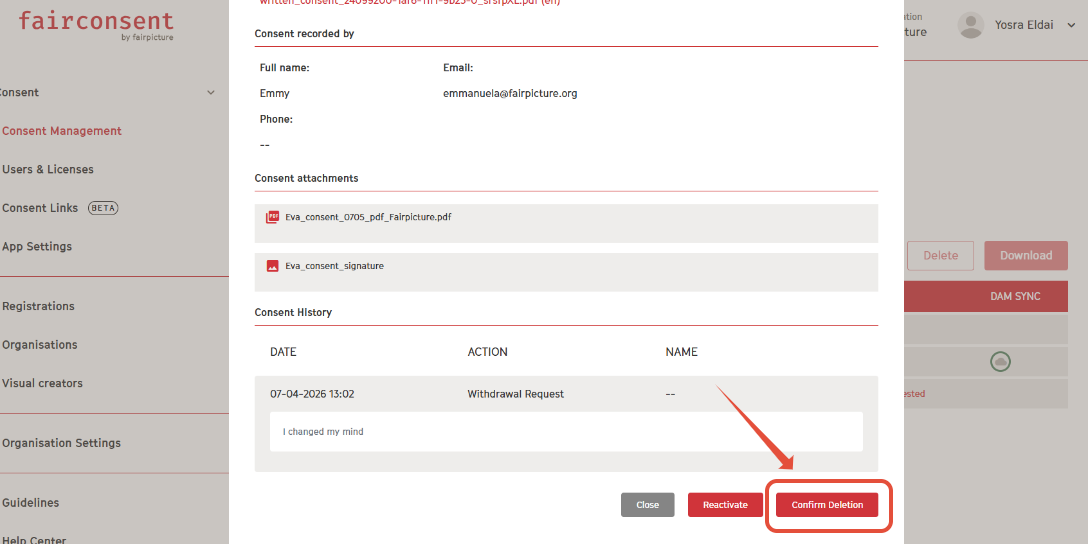
Note: A consent can only be reactivated if you contact the consent giver to clarify the withdrawal reason and they decided to continue their consent. Otherwise, you should proceed with confirming the deletion.
Need More Help?
If you need further assistance, please contact customersupport@fairpicture.org